



Built for Keller Williams

Remy keeps Command updated for you

Remy keeps Command updated for you

Remy keeps Command updated for you

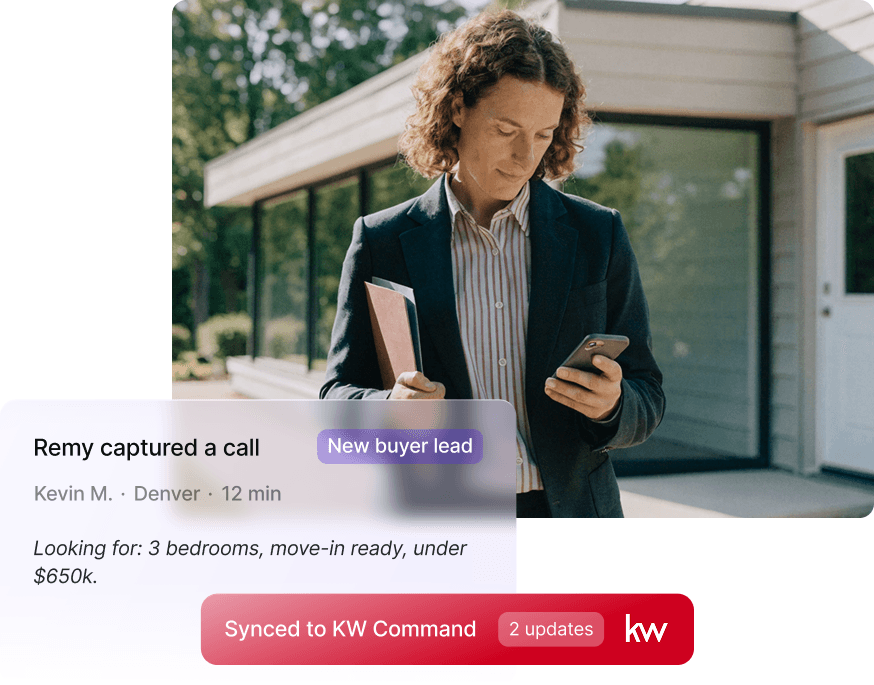
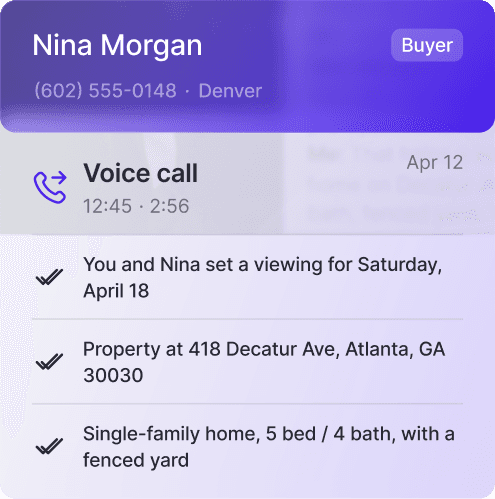
Remy captures your calls, texts, client details, follow-ups, and next steps — then syncs everything directly to KW Command so your database stays current without the manual work.
Get RemyAI App
Get RemyAI App
Get RemyAI App
Free to download · Connects in under 2 minutes

What changes when you use Remy

What changes when you use Remy

What changes when you use Remy

Get RemyAI App
Get RemyAI App
Get RemyAI App

Your next steps, built automatically.

Remy listens to your calls and messages, then builds your task list for you. No more manual follow-up notes after every conversation.

Every call, transcribed and summarized.

You always know what was said, what was promised, and what comes next, even if the call was 3 months ago.

Your Command database, always current.

Every contact you call or message in Remy syncs to KW Command automatically. Your database stays current without you touching it.

Your full client history, right when you need it.

Budget, family situation, financing preferences — Remy remembers every detail so you never have to ask a client to repeat themselves.

Your full client history, right when you need it.

Budget, family situation, financing preferences — Remy remembers every detail so you never have to ask a client to repeat themselves.

Every call, transcribed and summarized.

You always know what was said, what was promised, and what comes next, even if the call was 3 months ago.

Your next steps, built automatically.

Remy listens to your calls and messages, then builds your task list for you. No more manual follow-up notes after every conversation.

Your Command database, always current.

Every contact you call or message in Remy syncs to KW Command automatically. Your database stays current without you touching it.

loved by 200 agents
loved by 200 agents
Priya S. · Austin, TX · KW Agent

"Remy remembered that my client mentioned their daughter was starting college. I brought it up at our next meeting. That's the kind of thing that closes deals."

Priya S. · Austin, TX · KW Agent

"Remy remembered that my client mentioned their daughter was starting college. I brought it up at our next meeting. That's the kind of thing that closes deals."

Priya S. · Austin, TX · KW Agent

"Remy remembered that my client mentioned their daughter was starting college. I brought it up at our next meeting. That's the kind of thing that closes deals."

FACTS
FACTS

29

29

hours saved on admin based on weekly performance

hours saved on admin based on weekly performance

FACTS
FACTS

200+

200+

200+

brokerages worldwide

Marcus T. · Dallas, TX · KW Agent

"I used to spend 20 minutes after every call updating Command. Now Remy does it while I'm still on the line."

"I used to spend 20 minutes after every call updating Command. Now Remy does it while I'm still on the line."

setup
setup

Connect Remy to KW Command in less than 2 minutes

Connect Remy to KW Command in less than 2 minutes

Connect Remy to KW Command in less than 2 minutes

Open Remy, go to Settings, and tap Connect to KW Command. That's it.

Open Remy, go to Settings, and tap Connect to KW Command. That's it.

Open Remy, go to Settings, and tap Connect to KW Command. That's it.

no it setup
no it setup
no it setup
No data migration
No data migration
No data migration
Works with your existing KW account
Get RemyAI App
Get RemyAI App
Get RemyAI App
Free to download
Free to download
Free to download

Never drop a ball again

Never drop a ball again

Your AI assistant can be
ready before your next client call.
Your AI assistant can be
ready before your next client call.
Get RemyAI App
Get RemyAI App
Get RemyAI App
✓ Call summaries
✓ Smart follow-ups
✓ Call summaries    ✓ Smart follow-ups    ✓ Auto reminders
✓ Auto reminders

Simple pricing for every stage of your real estate business

Simple pricing for every stage of your real estate business

Simple pricing for every stage of your real estate business

pricing
pricing
pricing
Solo Agent

Everything you need to stay on top of every deal.

$49

/ month

Get RemyAI App

Transcripts and smart summaries

Automated tasks and property viewings

Auto-sync client profiles

Share business card

Solo Agent

Everything you need to stay on top of every deal.

$49

/ month

Get RemyAI App

Transcripts and smart summaries

Automated tasks and property viewings

Auto-sync client profiles

Share business card

Teams (5+ agents)

Scale your team without scaling admin.


$39

/ month

Transcripts and smart summaries

Automated tasks and property viewings

Auto-sync client profiles

Share business card

Contact Sales
Teams (5+ agents)

Scale your team without scaling admin.


$39

/ month

Transcripts and smart summaries

Automated tasks and property viewings

Auto-sync client profiles

Share business card

Contact Sales
Enterprise

Custom solutions for large organizations.


Custom

Special pricing

Weekly reporting of usage

Dedicated support

Custom integrations available

Contact Sales
Enterprise

Custom solutions for large organizations.


Custom

Special pricing

Weekly reporting of usage

Dedicated support

Custom integrations available

Contact Sales

Questions before you connect?

Questions before you connect?

Questions before you connect?

FAQ
FAQ

What does the connection do?

When you connect RemyAI to KW Command, your contact information and interactions automatically flow between the two apps.

KW Command updates are mandatory, but no one wants to spend time manually logging every contact and interaction. Connect RemyAI, and your contacts and interactions sync automatically, keeping Command current without any effort from you.

What syncs automatically when I’m connected?

Client Interactions - When you interact with someone in RemyAI (call, text, or add them), those interactions sync to Command automatically.

  • Calls - When you place a call this will be logged in Command Activities

  • Text messages - Your text conversations stay in sync across both apps.

  • Client information - Updates to contact details (phone number, email, address, etc.) sync in both directions.

  • Remy Client Profile - The profile that Remy builds for your client will be created and continually updated to Command. Longer Remy profiles may be slightly truncated in Command - to see the full profile, simply look in the RemyAI app directly.

This all happens automatically in the background — you don't need to do anything!

How do I connect RemyAI to KW Command?

Step 1: Open integrations under Account

  • Open RemyAI and go to Account by clicking the person icon (top left)

  • Find ‘KW Command’ in the integrations list

  • Select "Set up"

Step 2: Select which type of account you have
Step 3: Log in to Command

  • Tap "Connect to KW Command"

  • A new window will open where you'll log in with your KW credentials

  • Once logged in, approve the connection

Step 4: Done

  • You'll see a confirmation that you're connected

  • Return to RemyAI and you're all set

Your accounts are now syncing. Any contacts you interact with in RemyAI will appear in Command, and any contact details you update will flow to both apps.

What happens when I disconnect?

If you disconnect RemyAI from Command:
New syncing will stop immediately
All the contact data already in Command stays there (nothing gets deleted)
You can reconnect anytime without losing data

How often does it sync?

Data syncs every few minutes, so there may be a slight delay between when you update something in Remy and when it appears in Command.

Close like a pro, every time.

Close like a pro, every time.

Close like a pro, every time.

contact us
contact us
home
home
download the app
download the app
faq
faq
© 2026 Remy AI (Nomad Technologies LLC)